
If it has been a couple of days since you have sent your document batch for e-signatures and it hasn't been returned to you via email signed by your tenants, you may want to send your tenants a reminder.
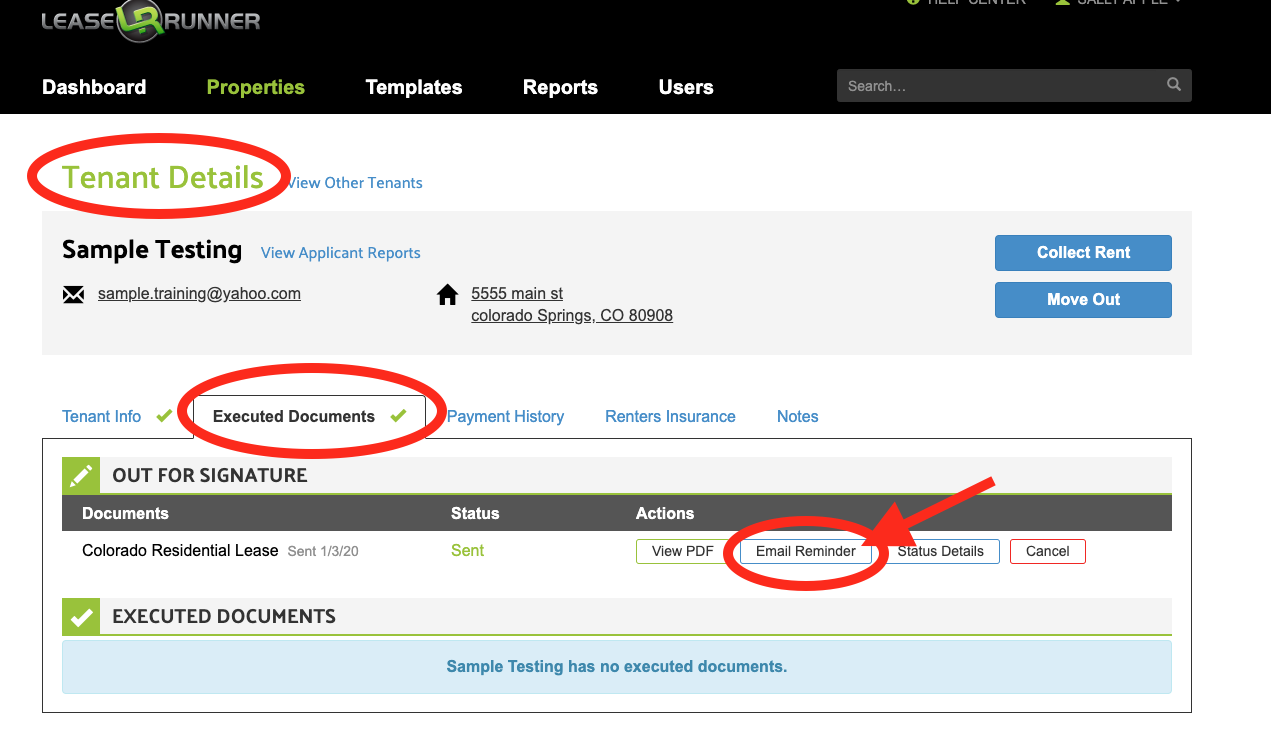
The "Email Reminder" button automatically emails the document batch to the next person to sign.
You can even check who that person is using the "Status Details" button.
Go to Properties > View Leases > select tenant.
-OR- click on the name of any tenant's name who is a party to the lease from your Dashboard >> Recent Activities table.
After you send the "Email Reminder", direct your tenant to their email inbox to e-sign the document.
Changing Signer's Email Address on Lease Documents
Can I Edit Sent Documents?
Comments
0 comments
Please sign in to leave a comment.