
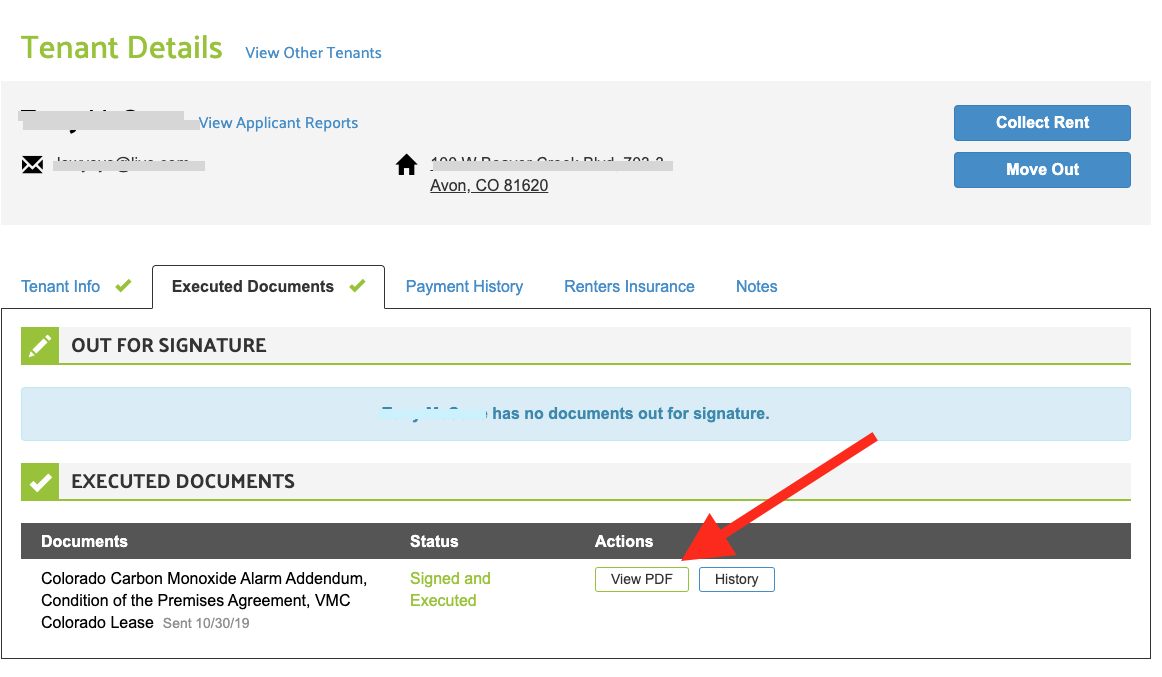
Signed leases are saved at the Tenant Details page for all tenants who e-signed the documents through Lease Runner.
To get to Tenant Details Page:
Go to Properties > click View Leases (at the Property/Unit in question) > select one of your tenants to navigate to their Tenant Details page > then click on the Executed Documents tab. Under the Executed Documents section, click "View PDF" to view a copy of the signed/executed lease documents. The PDF can be downloaded and/or printed following your normal download procedures for your computer.
Comments
0 comments
Please sign in to leave a comment.